
By Mike Reilley
If you are doing the data scraping exercise in Chapter 3, Page 52, exercise 1, here is a small tweak you need to make to the process. And you can thank the federal government.
In order to scrape all 600-plus failed banks from the FDIC failed banks list, you must first select “All” from the pulldown menu and then hit the “Apply” button to the left (see photo below). Once you have done that, you need to copy the new link and put that into the scraping formula.
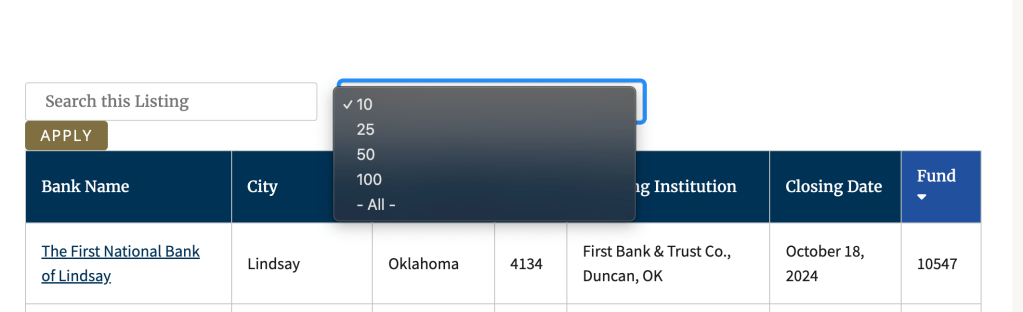
If you don’t do this step, you’ll get only the first 10 failed banks from the first page. Once you’ve hit the apply button, the new link will look like this: https://www.fdic.gov/bank-failures/failed-bank-list?combine=&items_per_page=All
And your formula should look like this:
=IMPORTHTML(“https://www.fdic.gov/bank-failures/failed-bank-list?combine=&items_per_page=All“,”table”,0)
I’ve updated this on my data scraping handout.
Be on the lookout for more changes like this on government websites. They’re still scrapable, You just need this extra step.
Training video on the update
 Data + Journalism
Leave a comment